• AI Models: Learning Patterns

    How AI Models Learn to Recognize the World Around Us

    After successfully using Machine Learning to predict delivery delays, Riya becomes curious.

    One evening, she asks the data science team:

    “How does the system actually learn these patterns?”

    The lead AI engineer smiles.

    “That’s where AI models come in.”

    He opens a screen showing millions of data points flowing into a training system.

    Riya watches quietly as the model processes years of operational history.

    Shipment records. Weather conditions. Delivery routes. Seasonal demand. Fuel usage.

    The system studies everything.

    Not by memorizing reports, but by identifying relationships hidden inside the data.

    Chapter 1: What Is an AI Model?

    The engineer explains:

    “An AI model is a system trained to recognize patterns from large amounts of data.”

    Just like humans learn from experience, AI models learn from examples.

    A child learns to recognize dogs after seeing many dogs.

    An AI model learns similarly.

    If the system sees thousands of examples labeled “dog” and “cat,” it slowly begins identifying the mathematical patterns that separate them.

    Nobody manually writes every rule.

    The model discovers the patterns through training.

    Chapter 2: Training the Model

    At SwiftMove, the company feeds years of operational data into an AI model.

    The system studies:

    delivery timelines,
    weather behavior,
    warehouse performance,
    traffic conditions,
    seasonal trends,
    and customer demand patterns.

    Over time, the model begins recognizing signals humans may never notice clearly.

    Some routes fail more often during storms.

    Certain warehouses slow down before holidays.

    Specific combinations of traffic and weather increase delivery risk.

    The more high-quality data the model sees, the more accurate its learning becomes.

    Chapter 3: What Makes AI Different from Traditional Software?

    Traditional software follows fixed instructions.

    “If delivery is late, send an alert.”

    AI models work differently.

    Instead of relying only on predefined rules, they learn patterns from historical examples.

    That difference allows AI systems to:

    understand language,
    recommend products,
    detect fraud,
    recognize speech,
    generate images,
    and predict outcomes.

    The system improves through exposure to more data and more examples.

    Chapter 4: Why Data Quality Matters

    One day, the AI model begins making unusual predictions.

    The team investigates the issue.

    The problem is not the algorithm.

    The problem is the data.

    Missing records. Duplicate entries. Incorrect timestamps.

    The engineer tells Riya:

    “AI models learn from the data we provide. If the data is flawed, the learning becomes flawed too.”

    That lesson changes how the company views data quality.

    Good AI depends on trustworthy data.

    Always.

    Chapter 5: AI Is Not Human Intelligence

    Riya asks an important question:

    “So… is AI actually thinking like humans?”

    The engineer shakes his head.

    “Not exactly. AI models are extremely powerful pattern-recognition systems. But they do not understand the world the same way humans do.”

    Humans still provide judgment, ethics, creativity, and context.

    The best systems are not AI replacing people.

    The best systems are humans and AI working together.

    Conclusion

    If dashboards are the eyes of the business,

    and data warehouses are the memory,

    and Machine Learning predicts future outcomes,

    then AI models are the learning engines that recognize patterns from experience.

    They transform raw data into intelligent behavior.

    And today, they quietly power much of the modern world around us.
  • How Businesses Learn from the Past to Predict the Future

    Riya’s company now has dashboards, data warehouses, and ETL pipelines working together smoothly.

    The business can finally:

    see live operations
    store years of history
    trust the data flowing across systems

    But during a leadership meeting, the CEO asks a difficult question:

    “Can we predict delivery delays before they happen?”

    The room goes silent.

    The dashboards show current problems.
    The warehouse stores historical patterns.

    But nobody knows what will happen tomorrow.

    That’s when the data science team joins the conversation.

    Chapter 1: Teaching Computers to Recognize Patterns

    A data scientist opens a chart showing two years of delivery history.

    The system has records for:

    order volume
    weather conditions
    traffic delays
    fuel costs
    delivery routes
    holiday seasons

    The scientist explains:

    “Machine Learning helps computers learn patterns from historical data.”

    Not by hardcoding every rule.

    But by studying examples.

    What Is Machine Learning?

    Machine Learning (ML) is a way of teaching computers to identify patterns and make predictions using data.

    Instead of programming every possible situation manually, we train systems using past examples.

    For example:

    If:

    • heavy rain increases delays,
    • holidays increase order volume,
    • certain routes fail more often,

    …the model begins learning those relationships automatically.

    Chapter 2: From Historical Data to Predictions

    The team builds its first ML model.

    Every night, the system analyzes:
    shipment history
    warehouse performance
    seasonal trends
    weather forecasts
    customer demand spikes

    A week later, something amazing happens.

    The model predicts:

    “High probability of delivery delays in the Northeast region this Friday.”

    Riya checks the weather report.

    A major snowstorm is expected.

    Instead of reacting late, the company prepares early.

    Extra trucks are scheduled.
    Drivers are rerouted.
    Customers are notified proactively.

    For the first time, the business isn’t just reacting.

    It’s anticipating.

    Chapter 3: Why Machine Learning Matters

    Traditional reporting answers:

    “What happened?”

    Dashboards answer:

    “What is happening now?”

    Machine Learning answers:

    “What is likely to happen next?”

    That changes everything.

    Real Business Examples of Machine Learning

    ML is already used everywhere:

    Retail → predicting customer purchases
    Healthcare → identifying disease risk

    Banking → detecting fraud
    Transportation → forecasting delays
    Streaming apps → recommending movies
    Social media → personalizing feeds

    Most people use Machine Learning every day without realizing it.

    The Most Important Lesson

    The data scientist tells Riya:

    “Machine Learning doesn’t predict the future perfectly.

    It predicts probabilities based on patterns.”

    That means:

    • predictions improve with better data,
    • models learn over time,
    • and human decisions still matter.

    Machine Learning is not magic.

    It’s pattern recognition at scale.

    The Bigger Picture

    If dashboards are the eyes of the business…

    And data warehouses are the memory…

    And ETL pipelines move information…

    Then Machine Learning is the brain that helps businesses anticipate what comes next.

  • The Hidden Delivery System of Data: Understanding ETL Pipelines

    Riya’s dashboards are now working beautifully.

    The company has also built a powerful data warehouse storing years of business history.

    But one morning, something strange happens.

    The sales dashboard shows:
    12,450 orders

    The finance report shows:
    11,980 orders

    The warehouse system shows:
    12,102 orders

    Everyone starts arguing.

    “Which number is correct?”

    Riya walks into the data engineering room frustrated.

    The lead engineer points to a screen filled with moving workflows.

    “The problem isn’t the dashboard,” he says.

    “The problem is how the data moves.”

    That’s when Riya learns about ETL pipelines.

    What Is an ETL Pipeline?

    ETL stands for:

    • Extract
    • Transform
    • Load

    It’s the process companies use to move data from many systems into one trusted destination.

    Think of it like a logistics network for information.

    Step 1: Extract → Collect the Data

    The company pulls data from many places:

    Order systems
    Payment platforms
    Delivery applications
    Customer support tools
    Excel uploads

    The ETL pipeline gathers everything automatically.

    Step 2: Transform → Clean and Standardize

    This is where the real work happens.

    The pipeline:
    removes duplicates
    fixes formatting issues
    standardizes dates and currencies
    validates missing values
    combines related records

    For example:

    “TX”
    “Texas”
    “tex.”

    —all become one standardized value.

    Messy data becomes trusted data.

    Step 3: Load → Store for Analytics

    After cleaning, the data gets loaded into the data warehouse.

    Now dashboards, reports, and AI models can safely use it.

    Everyone finally sees the same numbers.

    No more confusion.

    Why ETL Pipelines Matter

    Without ETL:
    data becomes inconsistent
    reports conflict with each other
    dashboards lose trust
    AI models learn from bad data

    With ETL:
    systems stay connected
    analytics become reliable
    reporting becomes faster
    organizations trust their data

    The engineer tells Riya:

    “Dashboards are only as good as the pipelines behind them.”

    That sentence changes how she sees the entire business.

    The Bigger Picture

    If dashboards are the eyes of the business…

    And data warehouses are the memory…

    Then ETL pipelines are the transportation system moving information everywhere it needs to go.

    Invisible.
    Constant.
    Critical.

    And when they fail, the whole organization feels it.

  • The Memory Bank of Business: Why Companies Need Data Warehouses

    Three months after implementing dashboards, Riya notices a new problem.

    The team can see what’s happening today.

    But leadership keeps asking questions like:

    “How did sales compare to last year?”
    “Which warehouse had the highest delays over six months?”
    “When did operational costs start increasing?”

    The dashboard shows live numbers.

    But old data keeps disappearing from operational systems.

    One evening, Riya walks into the data team area and asks:

    “Where does all our historical data actually live?”

    The data architect smiles and replies:

    “Welcome to the world of data warehouses.”

    He explains:

    A data warehouse is a centralized system designed to store historical business data from multiple sources.

    Orders.
    Customers.
    Shipments.
    Finance.
    Inventory.
    Support tickets.

    Everything is collected, cleaned, organized, and stored for long-term analysis.

    Without a data warehouse:
    data stays scattered across systems
    reports become inconsistent
    trends are hard to identify
    teams argue about numbers

    With a data warehouse:
    everyone uses the same trusted data
    years of history stay available
    trends become visible
    leadership can make strategic decisions

    The architect tells Riya:

    “Dashboards show what is happening now.

    Data warehouses help us understand what has been happening for years.”

    He opens a report comparing delivery performance across the last 24 months.

    For the first time, Riya sees seasonal patterns clearly.

    December always creates shipping delays.
    Certain regions consistently underperform.
    Fuel costs spike every summer.

    The business finally has memory.

    Think of it this way:

    Dashboard = Eyes of the business
    Data Warehouse = Memory of the business

    One helps you react instantly.
    The other helps you learn over time.

    And together, they power smarter decisions.

  • The Control Tower of Business: How Dashboards Help You See the Whole Picture

    Riya runs operations at a fast-growing logistics company.

    Every morning starts with:
    delivery reports
    inventory sheets
    customer complaints

    spreadsheets everywhere

    By the time she understands what’s happening in the business… her coffee is already cold

    One day, her CTO shows her a live dashboard.

    Suddenly she can see:
    delayed deliveries by region
    today’s fulfillment rate
    warehouse performance
    customer complaint spikes all on one screen.

    That changes everything.

    A dashboard is more than charts and graphs.

    It’s the control tower of a business.

    Just like a car dashboard helps drivers react instantly, business dashboards help teams:
    • detect problems early
    • monitor operations live
    • make faster decisions
    • stay aligned across departments

    The real power of dashboards is not reporting the past.

    It’s helping people act in the present.

    This is Part 1 of the LearnByte “AI & Data Through Stories” series where we explain AI, data, ML, and analytics using simple real-world conversations and stories.

  • The Window to the Truth: How Reports Help Teams See Clearly

    At a company called ClearView Retail, the CEO, Meena, had one big question every Monday morning:

    “How did we do last week?”

    But the answers weren’t easy to find.

    One person emailed Excel files.

    Another sent screenshots.

    One printed a chart and left it on her desk.

    It was messy, slow, and often wrong.

    Chapter 1: Enter the Analyst – And the Magic of Reports

    Meena asked the company’s data analyst, Yusuf, to fix the chaos.

    Yusuf said:

    “What you need isn’t more spreadsheets. You need reports.”

    What is a Report?

    A report is like a window into your data.

    It pulls information from a database, organizes it, and shows it clearly—usually with:

    • Tables
    • Charts
    • Summaries
    • Filters

    It answers questions like:

    • “How many sales did we make?”
    • “Which product performed best?”
    • “Where are we losing money?”

    Chapter 2: Yusuf Builds the First Report

    Yusuf built a Sales Summary Report in Power BI.

    • The report showed sales by region, by product, and by team.
    • It updated automatically every morning.
    • It had filters to choose any date range.
    • It used graphs to tell stories, not just show numbers.

    When Meena opened it, she smiled.

    “This is like having a dashboard in my car. I don’t have to ask—I can see.”

    Chapter 3: How Reports Help Everyone

    Soon, every team at ClearView was using reports:

    TeamReport TypeWhat They Saw
    SalesWeekly pipeline reportWho’s likely to close deals this week
    FinanceBudget vs. actual reportWhere spending was off-track
    SupportTicket resolution reportHow quickly agents closed customer issues
    MarketingCampaign performance reportWhich ads were generating the most leads

    Yusuf wasn’t just giving out charts—he was giving out clarity.

    Chapter 4: The Real Power of a Report

    Reports help you:

    • Track performance
    • Find problems early
    • Make decisions faster
    • Show proof of what’s working
    • Save time from manual number-crunching

    “A good report,” Yusuf said,

    “turns a pile of data into a story you can act on.”

    Conclusion: Reports Are Not Just Documents. They Are Decisions in Motion.

    From the CEO to the intern, everyone at ClearView began using reports to stay aligned, accountable, and ahead.

    “Before reports,” Meena said,

    “we were guessing.

    Now, we’re seeing.”

  • One Command to Sync Them All: The Story of SQL MERGE

    Meet Rahul, a data engineer at an e-learning platform. Every night, he receives a spreadsheet from the marketing team with updates to customer data—some are new signups, some are updates to old customers, and a few need to be removed.

    His challenge?

    “How do I keep the master Customers table in the database in sync with this daily file—without running three separate queries?”

    Chapter 1: The Old Way – Multiple Queries

    Rahul used to write:

    1. UPDATE existing records
    2. INSERT new ones
    3. DELETE obsolete ones

    Each with its own logic and filters.

    It worked, but was messy and error-prone.

    Chapter 2: The Discovery – Enter MERGE

    One day, his senior Dev said:

    “Why not use the MERGE command?

    It lets you update, insert, or delete in one go, based on matching conditions.”

    Rahul tried it.

    And it worked like magic.

    Chapter 3: What MERGE Does (In Simple Words)

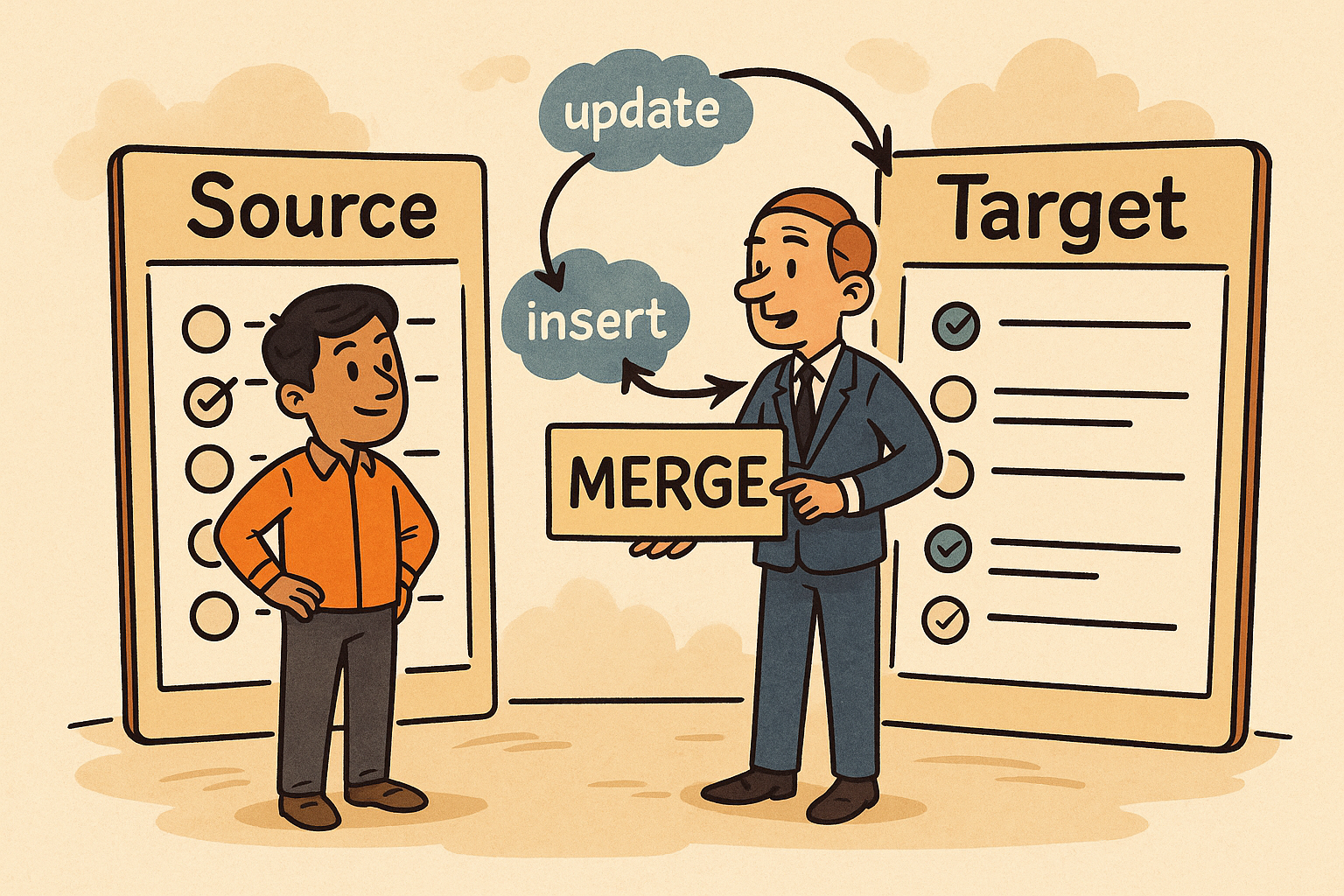
    MERGE is like a smart negotiator between two tables (or datasets):

    • The target: where you want to apply changes (e.g., Customers)
    • The source: the incoming changes (e.g., UpdatedCustomerList)

    It checks each row in the source and decides:

    • If it matches a record in the target → UPDATE it
    • If it doesn’t match → INSERT it as new
    • If something in the target is missing from the source → optionally DELETE it

    Chapter 4: Rahul’s New SQL Superpower

    MERGE INTO Customers AS Target
    USING UpdatedCustomerList AS Source
    ON Target.CustomerID = Source.CustomerID
    
    WHEN MATCHED THEN 
        UPDATE SET Target.Email = Source.Email, Target.Name = Source.Name
    
    WHEN NOT MATCHED BY TARGET THEN 
        INSERT (CustomerID, Name, Email)
        VALUES (Source.CustomerID, Source.Name, Source.Email)
    
    WHEN NOT MATCHED BY SOURCE THEN 
        DELETE;

    In one clean command, Rahul could sync the tables.

    Chapter 5: Why It Matters

    • Faster development: fewer lines, less maintenance
    • Cleaner logic: easier to understand and review
    • Data consistency: fewer mistakes across INSERTs/UPDATEs
    • Real-world need: syncing CRM systems, inventory lists, or user accounts

    Conclusion:

    Rahul no longer dreads the daily data sync.

    He tells his team:

    “MERGE is like hiring a smart assistant that looks at both lists and says,

    ‘I’ll update this, add that, and remove the rest—don’t worry.’”

  • T-SQL: The Smart Assistant Inside SQL Server

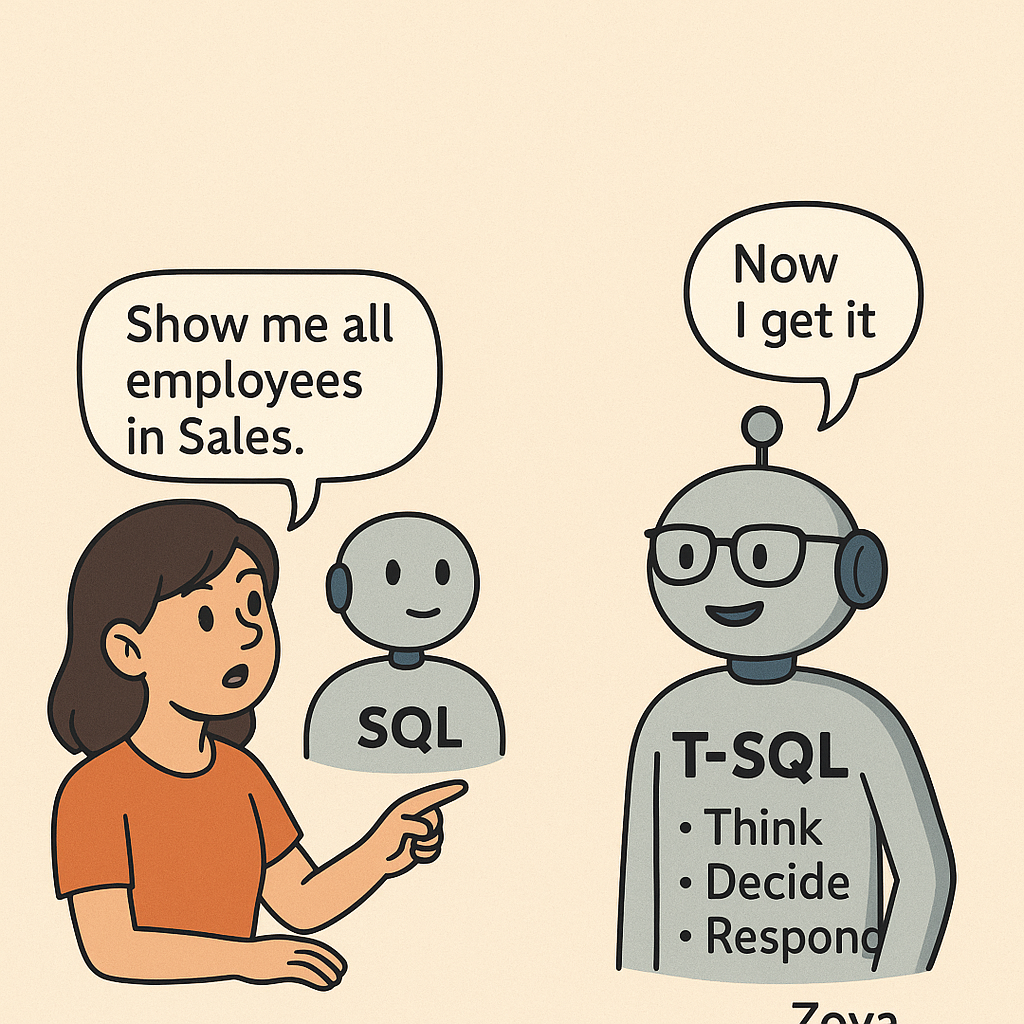
    Meet Zoya, a data coordinator at a large company. She uses SQL to run reports like:

    “Show me all employees in the Sales department.”

    Simple stuff.

    One day, her manager asks:

    “Can you also check if they’re active, group them by role, and skip the interns… unless it’s Monday?”

    Zoya blinks.

    “Wait, that’s not a simple SELECT anymore.”

    That’s when her teammate Aamir smiles and says:

    “You need T-SQL. Think of it as SQL with brains.”

    Chapter 1: What is T-SQL, Really?

    Aamir explains:

    “SQL is like asking a question: ‘Show me all the customers.’

    But T-SQL lets you think, decide, and respond.”

    With T-SQL, Zoya could:

    • Use variables to store conditions
    • Use IF…ELSE to handle exceptions
    • Loop through data with WHILE
    • Add error handling like in real programming
    • Create stored procedures for tasks she runs every day

    Chapter 2: A Day with Plain SQL vs T-SQL

    Plain SQL:

    SELECT * FROM Employees WHERE Department = 'Sales';

    That works fine…

    But what if she needs this logic:

    “If it’s Monday, include interns.

    If not, exclude them. Also, count only active employees.”

    Here’s how T-SQL helps:

    DECLARE @Day VARCHAR(10) = DATENAME(WEEKDAY, GETDATE());
    
    IF @Day = 'Monday'
        SELECT * FROM Employees WHERE IsActive = 1;
    ELSE
        SELECT * FROM Employees WHERE IsActive = 1 AND Role != 'Intern';

    “Whoa. SQL can now think like I do!” Zoya says.

    Chapter 3: Automating the Routine

    Before T-SQL, Zoya used to:

    • Copy-paste queries
    • Manually change filters every day
    • Run the same logic over and over

    Now, she writes a stored procedure:

    CREATE PROCEDURE GetDailyEmployeesReport
    AS
    BEGIN
        -- Logic using T-SQL
    END;

    She just runs:

    EXEC GetDailyEmployeesReport;

    Done. Automated. Clean.

    Chapter 4: Zoya’s Realization

    T-SQL is not a different language.

    It’s SQL + intelligence for Microsoft SQL Server.

    “It’s like having a smart assistant who remembers things, makes decisions, and helps me do more than just ask questions.”

    Conclusion: SQL Asks. T-SQL Thinks.

    Zoya still writes SQL. But now she builds logic, handles exceptions, and automates tasks—all thanks to T-SQL.

    “With T-SQL, I don’t just query data—I manage it like a pro.

  • One by One or All at Once? The Tale of the WHILE Loop and the CURSOR

    In the busy office of DataWorks Ltd., a helpful employee named Sita managed the company’s birthday email list.

    Each morning, she had a list of 500 employee names and birthdates.

    Her job?

    “Check if today is their birthday, and if so, send them a greeting.”

    She could:

    • Go through each person, one by one
    • Or use a smart way to check them all together

    Her IT team showed her how this works in SQL.

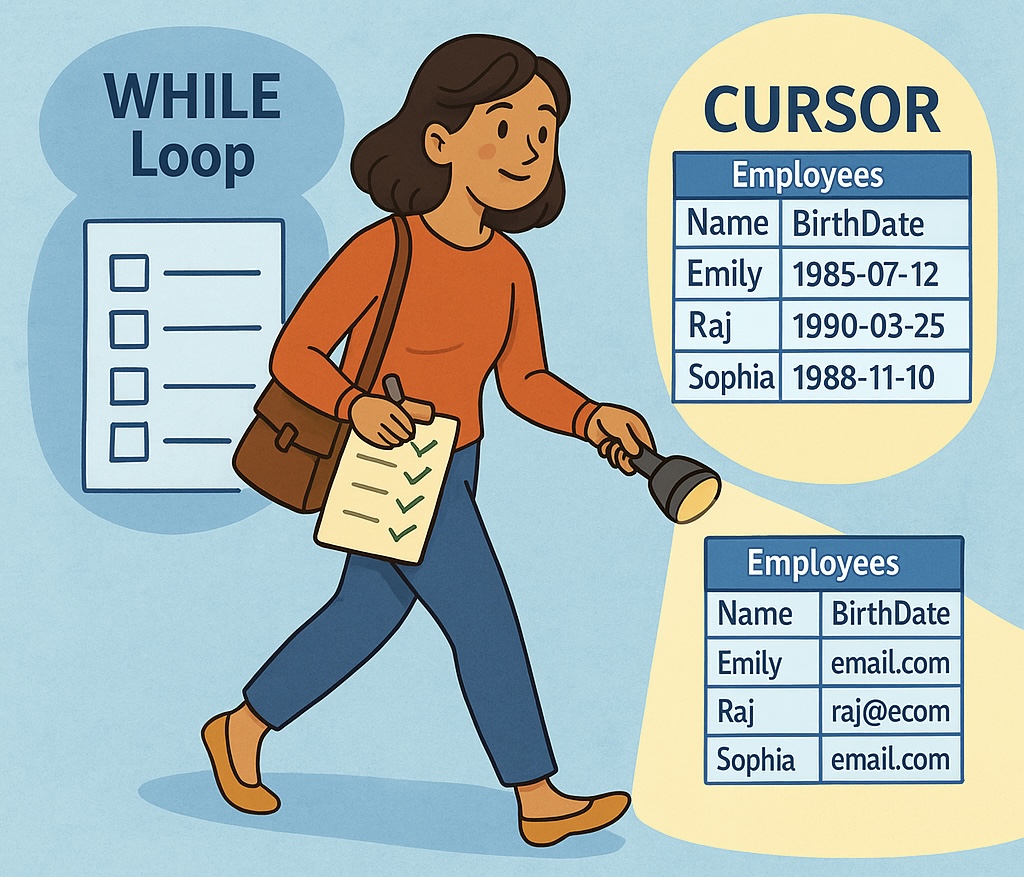
    Chapter 1: The WHILE Loop – Like a Checklist

    Imagine Sita writing this on paper:

    “Start at the top of the list.

    While there are more names to check:

    • Look at birthday
    • If today, send email
    • Move to next person.”

    This is a WHILE loop in SQL:

    DECLARE @counter INT = 1;
    WHILE @counter <= 500
    BEGIN
       -- Check birthday at row @counter
       SET @counter = @counter + 1;
    END

    It’s like a loop that says: “Keep doing this until you’re done.”

    Chapter 2: The CURSOR – Like a Name-by-Name Whisper

    Then her team said:

    “What if you want to do something special with each row—like send a personalized message or record each action?”

    That’s where CURSOR comes in.

    It acts like a finger pointing at each row, one at a time.

    DECLARE birthday_cursor CURSOR FOR
    SELECT Name, Email, BirthDate FROM Employees;
    
    OPEN birthday_cursor;
    FETCH NEXT FROM birthday_cursor INTO @Name, @Email, @BirthDate;
    
    WHILE @@FETCH_STATUS = 0
    BEGIN
       IF CAST(@BirthDate AS DATE) = CAST(GETDATE() AS DATE)
          EXEC SendBirthdayEmail @Name, @Email;
    
       FETCH NEXT FROM birthday_cursor INTO @Name, @Email, @BirthDate;
    END
    
    CLOSE birthday_cursor;
    DEALLOCATE birthday_cursor;

    Sita’s Takeaway

    • WHILE is like checking tasks on a numbered list.
    • CURSOR is like moving through a table one row at a time, doing something custom for each.

    Why This Matters

    1. Batch operations are great—but row-by-row control is sometimes necessary.
    2. CURSORs can handle row-specific logic when SQL alone can’t.
    3. WHILE loops are great for repeating logic until a condition is met.
    4. Use both wisely—they can be slower than regular SQL if used with big data.

    Conclusion:

    Sita now uses SQL’s WHILE loops for checking scheduled tasks

    and CURSORs for crafting personal messages, one person at a time.

    “Sometimes data needs a bulk push.

    Sometimes, it needs a gentle, thoughtful walk—row by row.”

    That’s what WHILE and CURSOR help you do.

  • Decision-Makers in the Query: How CASE and IF Gave Meaning to Data

    Meet Arjun, a data analyst at a retail company called SmartKart. His job is to provide sales insights to different teams: marketing, finance, and customer support.

    One day, his manager asks:

    “Can you label each customer order as High, Medium, or Low value based on the amount spent?”

    Arjun thinks:

    “That’s not a column in the database… but I can create it using logic!”

    That’s when he meets the two decision-makers in SQL:

    • CASE
    • IF

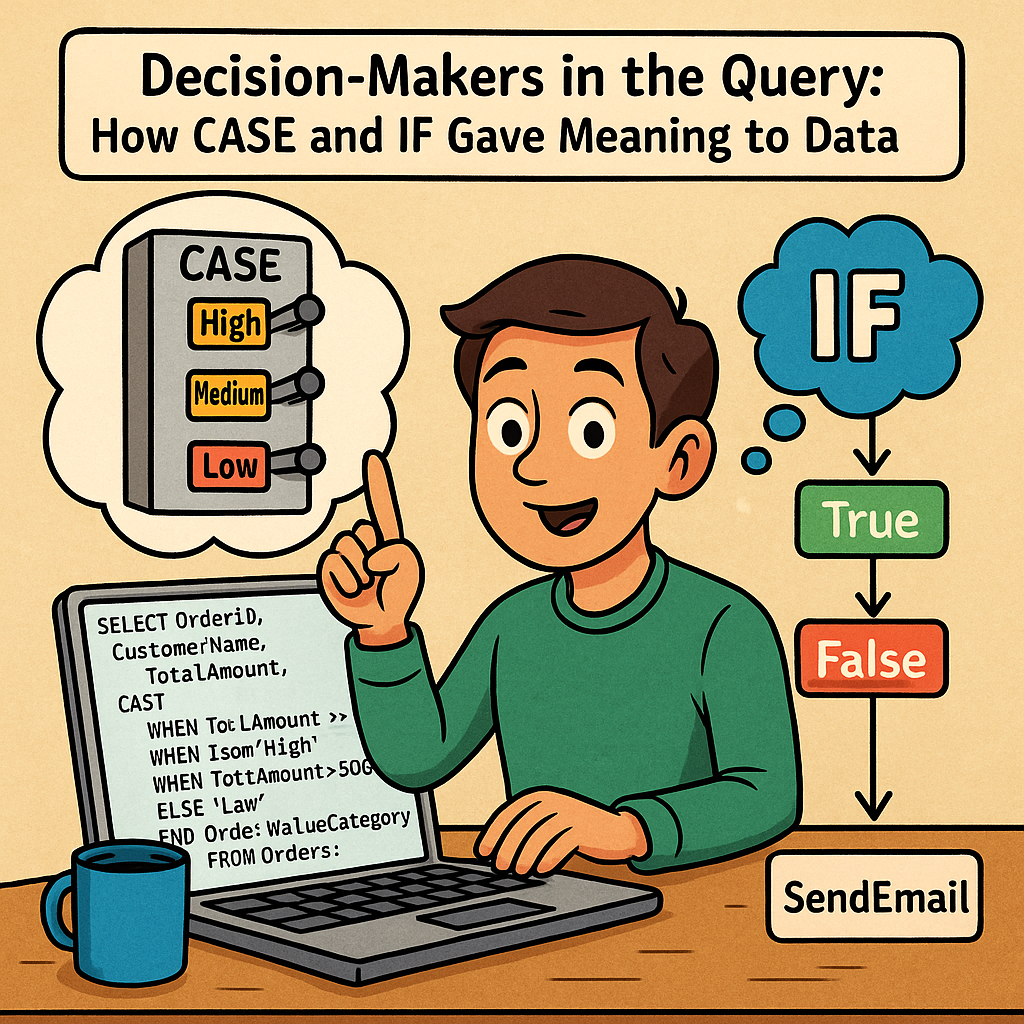
    Chapter 1: The Power of CASE – Like a Switchboard

    Arjun writes:

    SELECT OrderID, CustomerName, TotalAmount,
      CASE
        WHEN TotalAmount >= 1000 THEN 'High'
        WHEN TotalAmount >= 500 THEN 'Medium'
        ELSE 'Low'
      END AS OrderValueCategory
    FROM Orders;

    Suddenly, every order in the report is labeled smartly.

    “CASE is like asking SQL to make decisions row by row, just like if/else in normal language,” Arjun realizes.

    Chapter 2: IF for Logic Outside Queries

    Later, Arjun builds a stored procedure to email daily summaries. But he only wants to run it if today is a weekday.

    He uses:

    IF DATENAME(WEEKDAY, GETDATE()) NOT IN ('Saturday', 'Sunday')
    BEGIN
      EXEC SendDailySummary;
    END

    This IF runs outside the query, controlling program logic (procedures, execution flow).

    “So CASE works inside queries, IF works in procedures,” he tells his teammate.

    Chapter 3: Best Use Cases

    CASE is Best For:

    • Categorizing values (e.g., Low/Medium/High orders)
    • Conditional formatting in reports
    • Handling NULLs or unexpected values
    • Replacing complex nested IFs in SELECTs

    IF is Best For:

    • Conditional logic in stored procedures
    • Deciding whether to run a command or not
    • Executing different blocks of SQL depending on business rules

    Chapter 4: Arjun’s Favorite Report

    His marketing team asks:

    “Can you show us each customer’s total spend and if they qualify for loyalty status?”

    He delivers:

    SELECT CustomerName, SUM(TotalAmount) AS TotalSpent,
      CASE
        WHEN SUM(TotalAmount) >= 5000 THEN 'Gold'
        WHEN SUM(TotalAmount) >= 2000 THEN 'Silver'
        ELSE 'Bronze'
      END AS LoyaltyStatus
    FROM Orders
    GROUP BY CustomerName;

    Now they can launch targeted campaigns—all thanks to one CASE statement.

    Conclusion: CASE and IF Are the Brains of Your Query

    They don’t store data.

    They add meaning to it.

    They make your queries smarter.

    Just like Arjun, you can use CASE to reshape raw numbers into stories, and IF to automate smart decisions behind the scenes.